Free · 100% Offline · No sign-up
Scan, sign and edit PDFs — all from your phone.
PDF Utils packs 20+ tools — scanner, e-signature, annotation, merge, split, compress and more — into one free Android app. Everything runs on your device; your files never touch a server.
- 4.5★
- 25.3k reviews
- 1M+
- downloads
- 20+
- PDF tools
Features
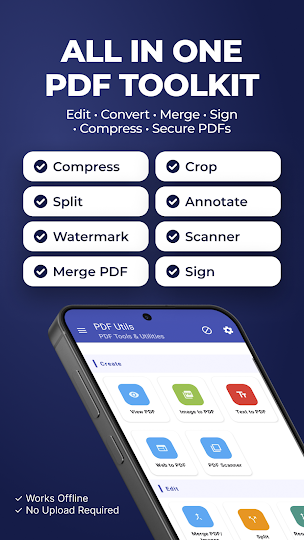
One app, every PDF task covered
No ads-for-features gimmicks, no paywalled "pro" edits — the whole toolkit is free.
Document scanner
Scan to PDF with your camera — automatic edge detection and perspective correction included.
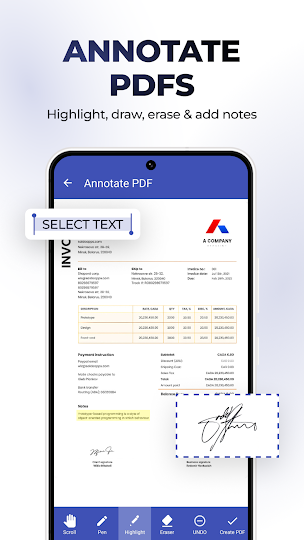
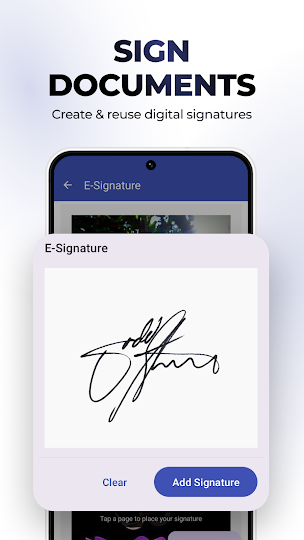
E-signature & annotate
Draw and reuse your signature, highlight, freehand-draw and mark up any PDF page.
Merge & convert
Combine PDFs and photos (JPG/PNG/TIFF) into one document, from local storage, Drive or OneDrive.
Split & reorder
Break large PDFs into smaller files, drag pages into any order, rotate or delete with a swipe.
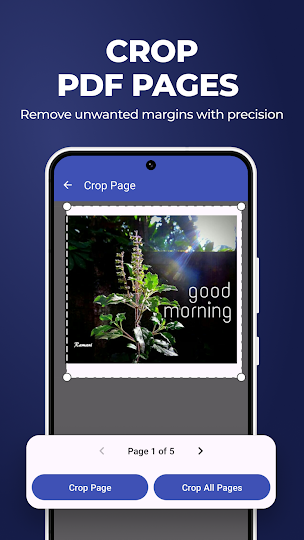
Crop pages
Crop individual pages with a visual overlay to remove unwanted margins with precision.
Lock & protect
Password-protect with owner and user passwords, or strip protection from PDFs you own.
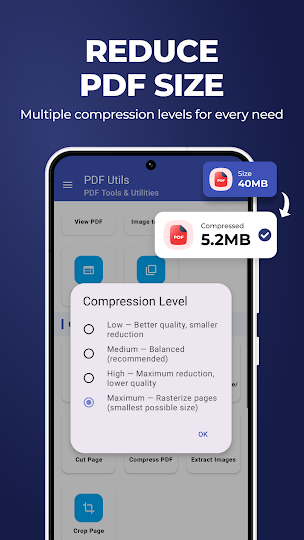
Compress
Choose a compression level and preview the result before saving — shrink files without losing legibility.
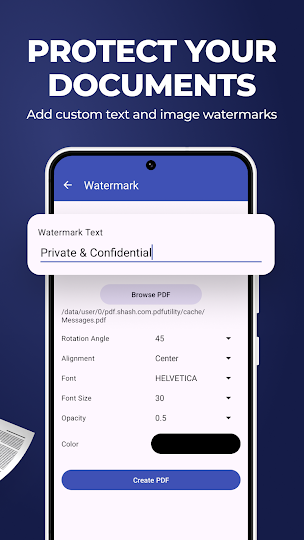
Watermarks & page numbers
Stamp text or image watermarks, add page numbers, or convert plain text (with emoji) to PDF.
Convert both ways
Turn images and web pages into PDF, or pull pages and embedded images back out of a PDF.
See PDF Utils in action
A quick walkthrough of merging, editing and organizing PDFs directly on your phone — no desktop required.
Download nowGallery
A closer look
Reviews
What people are saying

"Love the app..becaz it can transform web to pdf and only the content other app would show other option hiding the main content..well it fulfilled my all need regarding a pdf its cutting, merging,etc....a must download app.thank u pdf utils."
Sofia Soni

"An awesome and easy to use app. Completely free. Developers you rock you guys saved my assignment. I was rearranging pages on Adobe and they were asking me to buy full version. You guys saved me."
Aashay SD

"It leaves up to expectation. Allows name change, storage place options and user-friendly. Very good app."
Andile Sebezo

"Amazing all in one .u can cut pages from inside pdf nd make new one.. thnq developers ♥️.. i was looking for such from long time."
Aditi Ritwal

"Very useful app indeed. Could split a long pdf into only the required pages. All functions work tremendously well. The price of the adfree version is just a bit too much for me since I don't need to use it too often. However, I will pay the price someday just to support the developer. Very satisfied with it."
Ritwick Saikia · Google Play
Join 1M+ people who trust PDF Utils
Rated 4.5★ from 25.3k reviews. Free to download, works fully offline.
 Get it on Google Play